 Outset
Any app can tell you it's time to leave. Outset does something about it.
Outset shields your distracting apps as your departure approaches. The only thing that opens them again is you, physically leaving.
One email when it ships. No account required.
Sounds familiar?
You open one app to check one thing, and forty minutes are gone.
You set the alarms, then turn them off without moving an inch.
Leaving "in a minute" has never once taken a minute.
Chronic lateness usually isn't a discipline problem — it's how time gets away from you in the last ten minutes before leaving.
Reminders don't fix that. Enforcement does.
How it works
Three settings, then it runs itself.
Set your destination
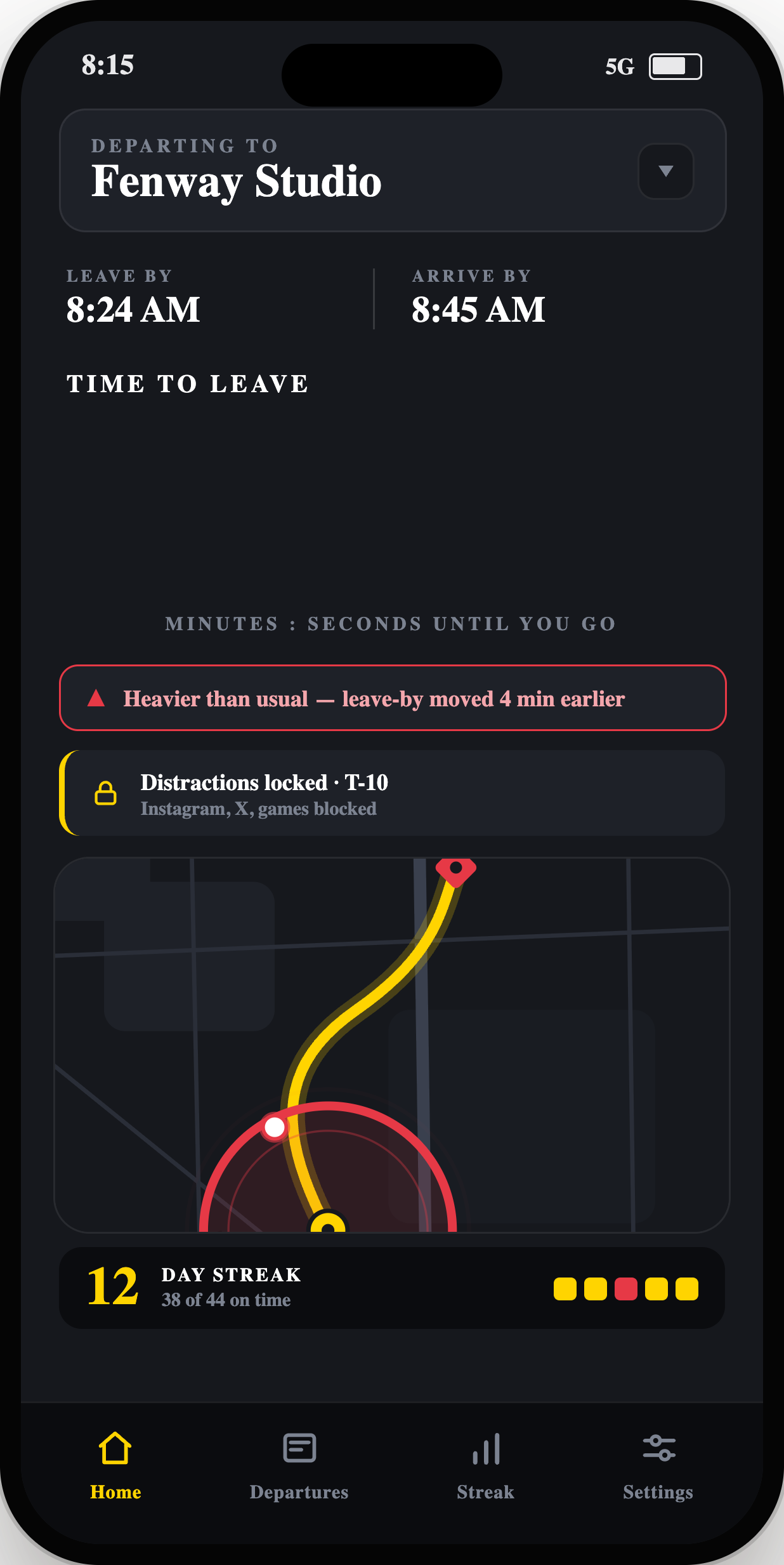
Tell Outset where you're headed. It checks Apple Maps traffic and works backward to the exact minute you need to walk out.
Select distractions
Choose the apps that swallow your mornings. As your departure approaches, Outset locks them.
Leave to unlock
Walk out the door and everything comes back on. Actually leaving is the only thing that opens them.
What Outset does
Three things a reminder can't.
Your home boundary is the key. The apps you picked stay dark until you physically cross that line — then they switch back on by themselves.
Outset tracks live traffic and pulls your leave-by time earlier the moment the roads slow down, so a bad commute doesn't make you late before you've noticed.
Connect your calendar and Outset reads your next event, sets the destination, and arms itself — no setup on the mornings you most need it.
Why not the others
Every other approach leaves the same gap.
The tools already out there each stop one step short of the thing that actually gets you moving.
Privacy
Built so there's nothing to sell.
Most screen-time apps make money from your data. Outset makes money from none of it.
No account, ever
No sign-up, no login, no profile. You open the app and use it. There's no you-shaped record for us to hold.
No servers of ours
We don't run a backend. Your schedules, location, and records never reach us — because there's nowhere for them to go.
Your data, your iCloud
History syncs across your devices through your own iCloud, under Apple's control. Even the apps you block are opaque tokens we can't read.
Questions
The things people ask first.
What if there's an emergency?
Outset only shields the distracting apps you pick. Phone calls, messages, maps, and everything else on your phone keep working normally.
Will it drain my battery?
Departure detection is built on Apple's native geofencing — the same power-efficient location tech iOS already runs in the background — rather than keeping GPS on the whole time.
Which apps can it block?
Any apps you choose, through Apple's own Screen Time picker. Instagram, X, games, whatever eats your mornings — you decide the list.
Does it need signal to work?
Detecting that you've left home works offline. Live traffic — the part that adjusts your leave-by time — needs a connection to recalculate.
Is it iPhone only?
For now, yes — iPhone on iOS 17 or later. The app relies on Apple's Screen Time and geofencing frameworks, which are iOS-specific.
What will it cost?
Outset will be free to start, with optional paid features for people who want more. No account required either way. Final pricing lands at launch.
Be on time by default.
Get the email the day Outset lands on the App Store.